[ DIGITAL ASSET CATALOG ]

FULL PRODUCT CATALOG

Explore fonts, templates, 3D graphics, and automation tools with instant checkout.

[ DISPLAYING 8 OF 35 PRODUCTS ]
Tools & Scripts
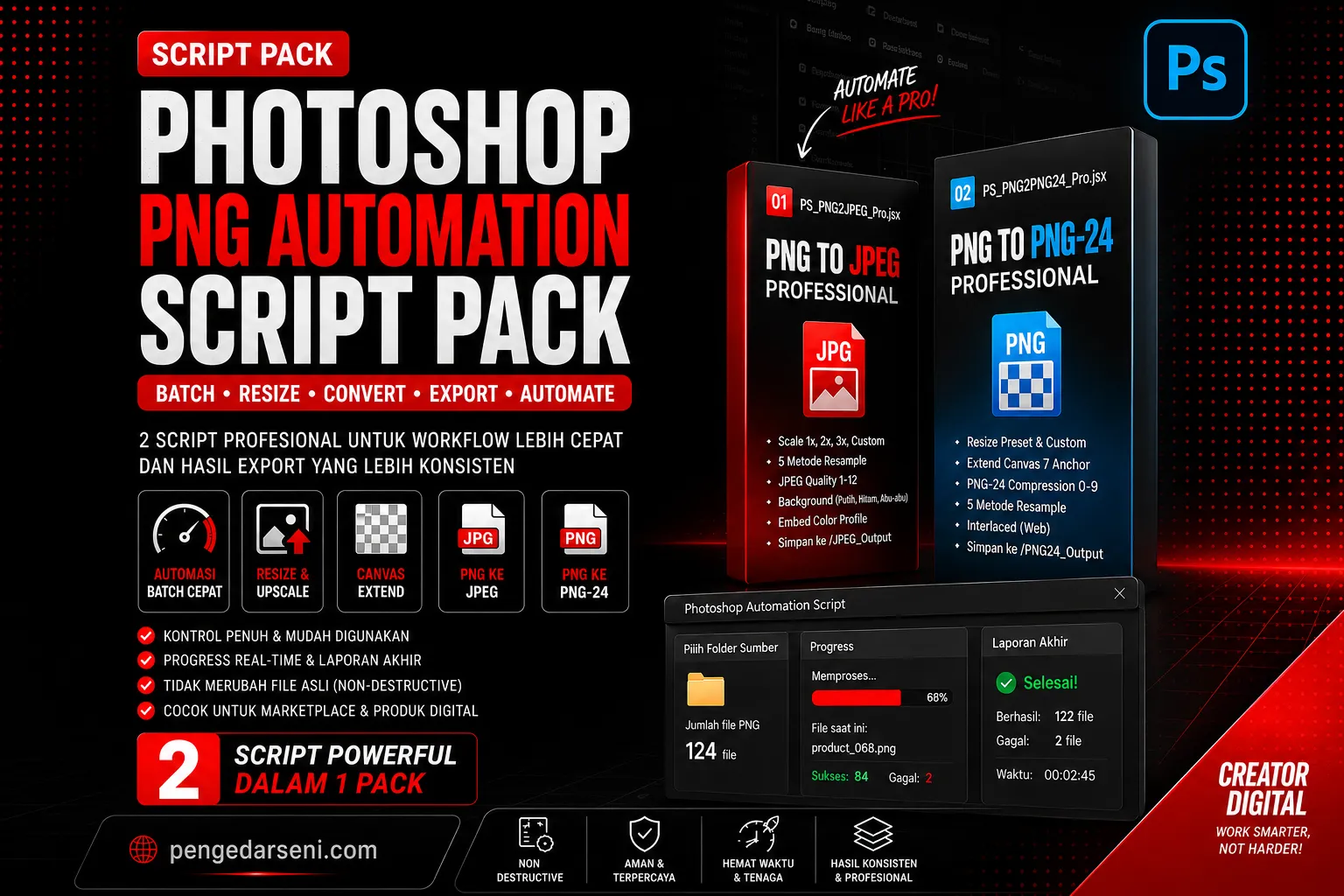
Photoshop PNG Automation Script Pack: Automasi Export PNG

Photoshop PNG Automation Script Pack: Automasi Export PNG

ADOBE PHOTOSHOP JSX SCRIPT Photoshop PNG Automation Script Pack: Automasi Export PNG Ubah puluhan hingga ratusan file PNG menjadi JPEG atau PNG-24 yang siap upload hanya dengan beberapa klik, langsung dari Adobe Photoshop CC. Photoshop PNG Automation Script Pack adalah paket script JSX yang dirancang khusus untuk batch export, resize, upscale, extend canvas, dan konversi file PNG secara otomatis. Sangat menghemat waktu dan cocok untuk kreator digital, seller marketplace, desainer, kontributor microstock, dan pembuat aset visual. 📌 Masalah yang Sering Terjadi Mengurus banyak file PNG satu per satu sangat memakan waktu, terutama jika Anda harus: • Mengubah PNG transparan menjadi JPEG dengan warna background tertentu. • Membuat versi 2x atau 3x (upscale) dari aset digital. • Menyesuaikan ukuran ke 1000x1000, 3000x3000, atau standar marketplace lain. • Menambahkan padding atau canvas kosong di sekitar produk agar proporsional. • Menjaga file asli tetap aman tanpa risiko tertimpa (non-destructive). 📦 Isi Paket (2 Script dalam 1 Pack) Anda akan mendapatkan 2 Script JSX andalan untuk workflow yang berbeda, beserta panduannya: 1. PS_PNG2JPEG_Pro.jsx: Konversi massal PNG ke JPEG dengan kontrol skala (1x, 2x, 3x, custom), slider kualitas (1-12), opsi embed color profile, dan pilihan background (putih, hitam, abu-abu). 2. PS_PNG2PNG24_Pro.jsx: Export massal PNG ke PNG-24 dengan fitur resize preset/custom, canvas extend, 7 pilihan anchor position, serta kontrol kompresi (0-9). 3. Panduan Penggunaan: Cara install dan menjalankan script di Adobe Photoshop CC. ✨ Fitur & Benefit Utama • Resize, Upscale & Canvas Extend: Siapkan file ukuran 512, 1024, 2048, 2560, 3000, 4096, atau ukuran bebas secara serentak. • Aman untuk File Asli: Script ini bersifat non-destructive. File asli tidak akan diubah atau dihapus (dokumen ditutup otomatis tanpa di-save menimpa file awal). • Workflow Sangat Rapi: Hasil export akan disimpan secara otomatis ke dalam folder khusus (JPEG_Output atau PNG24_Output). • Progress Bar & Laporan: Pantau status proses secara real-time, lengkap dengan jumlah file sukses/gagal, waktu proses, dan error log. 🎯 Cocok Digunakan Untuk: • Produk digital & Seller Marketplace. • Kontributor Microstock (aset PNG transparan). • Kreator 3D render, mockup, pembuat template, ikon, font preview, dan ilustrasi. ⚙️ Cara Install & Menjalankan Cara Pakai Langsung: 1. Buka Adobe Photoshop CC. 2. Pilih menu File > Scripts > Browse... 3. Pilih file script .jsx yang ingin digunakan. 4. Pilih folder input, atur setting output, dan klik jalankan. Cara Install Permanen (Sekali Setting): Copy file JSX ke dalam folder Scripts Photoshop agar selalu muncul di menu. Path Windows: C:\Program Files\Adobe\Adobe Photoshop [versi]\Presets\Scripts\ Setelah di-copy, restart Photoshop, dan script siap diakses dari File > Scripts. 💻 Catatan Teknis • Software: Adobe Photoshop CC. • Input: File PNG. • Output: File JPEG dan PNG-24. • Disarankan menggunakan SSD pada komputer Anda untuk proses batch dalam jumlah sangat besar agar lebih cepat. 📜 Lisensi Penggunaan & Kebijakan • Standard License: Boleh digunakan untuk produksi aset digital sendiri (personal) atau pekerjaan desain untuk klien (komersial). • TIDAK BOLEH: Dijual ulang, dibagikan ulang, diklaim sebagai buatan sendiri, di-upload ulang ke marketplace lain, atau dibundel menjadi produk digital baru. • No Refund Policy: Karena ini adalah produk digital yang langsung bisa diunduh, pembelian bersifat final. Tidak melayani refund atau pembatalan. ❓ FAQ (Tanya Jawab) Q: Apakah ini plugin Photoshop? A: Bukan, ini adalah script JSX ringan yang dijalankan melalui menu bawaan File > Scripts. Q: Apakah bisa untuk file JPG? A: Fokus dan optimasi utama script ini adalah membaca file input berekstensi PNG. Q: Apakah kanvas bisa menyesuaikan agar gambar tidak terpotong? A: Ya! Script memiliki fitur Canvas Extend dengan opsi Anchor Position serta validasi otomatis agar ukuran kanvas yang baru tidak lebih kecil dari gambar asli Anda. 🚀 Siapkan File PNG Lebih Cepat dengan Workflow Otomatis! Tinggalkan cara manual. Konversi, resize, canvas extend, dan export batch langsung dari Photoshop sekarang juga.

STARTING PRICE
From US$1.50
VIEW ➔
Tools & Scripts
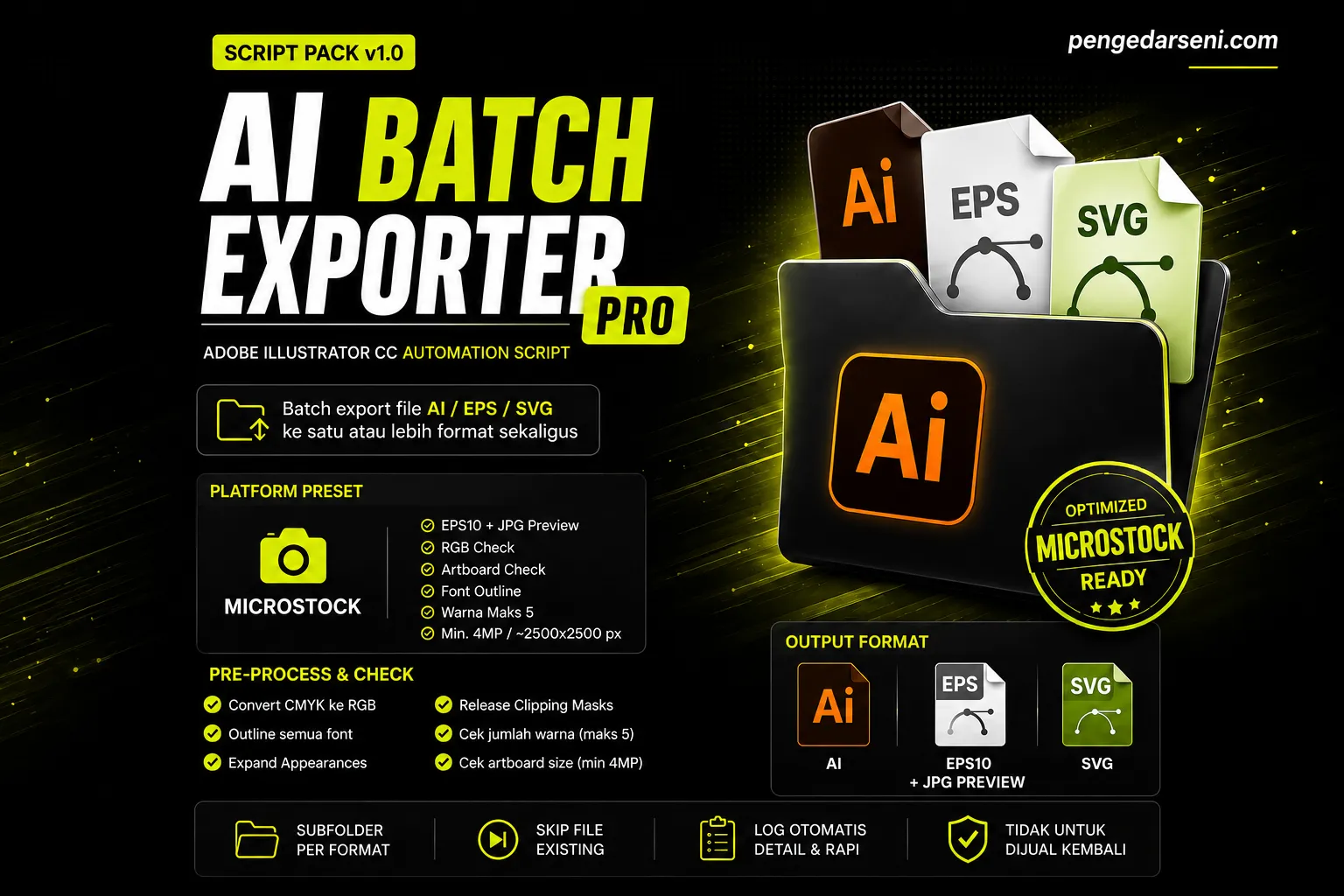
AI Batch Exporter Pro: Export Massal File AI, EPS & SVG

AI Batch Exporter Pro: Export Massal File AI, EPS & SVG

ADOBE ILLUSTRATOR CC AUTOMATION SCRIPT AI Batch Exporter Pro: Export Massal File AI, EPS & SVG AI Batch Exporter Pro adalah script automation untuk Adobe Illustrator yang membantu Anda me-re-export banyak file AI, EPS, dan SVG sekaligus menjadi berbagai format siap pakai, seperti EPS10 + JPG Preview, SVG, maupun file archive AI. Dibuat khusus untuk mempercepat workflow kreator Microstock, Canva Contributor, desainer vektor, dan seller aset digital yang membutuhkan proses export massal yang rapi, cepat, dan terkontrol. Catatan: File asli Anda 100% aman karena script ini bekerja pada dokumen sementara sebelum proses export. 📦 Isi Pack File yang akan Anda dapatkan dalam pembelian ini: • AI_BatchExporter_Pro.jsx: Script utama untuk dijalankan di Adobe Illustrator. • README.txt: Panduan lengkap instalasi dan cara penggunaan. • LICENSE.txt: Syarat & ketentuan lisensi penggunaan script. ✨ Ringkasan Fitur Utama Export banyak file Illustrator tanpa perlu setting ulang satu per satu. Script ini secara otomatis memproses batch re-export ke format yang Anda butuhkan (untuk microstock, Canva, archive, dll). Anda memegang kendali penuh untuk memilih: Platform Preset, Output Format, Pre-Process, Advanced EPS & SVG Settings, hingga otomatisasi pengaturan folder output. 📂 Format yang Didukung • Format Input: File .ai, .eps (EPS8, EPS9, EPS10), dan .svg. • Format Output: • AI: Untuk archive/menyimpan ulang file asli. • EPS10 + JPG Preview: Khusus untuk submission/kebutuhan Microstock. • SVG: Khusus untuk Canva Contributor dan aset vektor web-friendly. 🎛️ Platform Presets (Pengaturan Instan) Pilih preset agar script menyesuaikan parameter secara otomatis: • Microstock: Output EPS10 + JPG Preview, cek warna RGB & cek ukuran artboard. • Canva Contributor: Output SVG dengan setting terkunci sesuai standar kriteria Canva. • Microstock + Canva: Output EPS10 + JPG Preview + SVG diexport secara bersamaan. • Archive: Simpan ulang otomatis sebagai file AI terbaru. • Full Export: Export ke semua format yang didukung secara bersamaan. • Custom: Atur manual seluruh pengaturan sesuai spesifikasi workflow Anda. 🛠️ Fitur Pre-Process & Advanced Settings Script ini mampu membersihkan dan mematangkan file Anda sebelum di-export: • Convert warna dari CMYK ke RGB otomatis (standar microstock & Canva). • Outline semua font (menghindari error missing font). • Expand Appearances dan opsi Release Clipping Masks. • Pengecekan batasan jumlah warna khusus untuk Canva (color-editable). • Pengecekan ukuran Artboard (minimal 4 Megapixels untuk microstock). • Advanced EPS: Kontrol versi kompatibilitas (EPS 8 - CS6), PostScript Level 2/3, kualitas JPG Preview, dll. • Advanced SVG: Kontrol CSS Styling, Decimal Precision, opsi Minify, Responsive Disable, dan manipulasi tag <svg>. 📁 Organisasi Output Folder Otomatis Hasil export tidak akan berantakan. Script ini otomatis membuat: • Subfolder terpisah per format (Folder AI, Folder EPS, Folder SVG). • Opsi Skip existing file agar menghemat waktu saat resume proses. • Error Log otomatis (_BatchExporter_Log.txt) dan file log Warnings jika ada isu (CMYK, artboard kekecilan, atau kelebihan warna). 🎯 Cocok Digunakan Oleh: • Kreator Microstock & Contributor Adobe Stock. • Canva Contributor yang fokus pada aset SVG. • Desainer yang harus mengelola ratusan/ribuan file AI, EPS, dan SVG. • Seller produk digital & pembuat vector asset bundle. • Tim kreatif studio desain yang membutuhkan proses kerja (export) yang cepat dan seragam. ⚙️ Cara Install & Penggunaan Cara Install (Pilih Salah Satu): • Jalankan Cepat: Buka Illustrator > Menu File > Scripts > Browse... > pilih file AI_BatchExporter_Pro.jsx. • Install Permanen: Copy script ke dalam folder instalasi Scripts Adobe Illustrator Anda. Restart Illustrator, script akan muncul langsung di menu File > Scripts. Cara Pakai (Workflow Sederhana): 1. Siapkan folder berisi file mentahan (AI/EPS/SVG). 2. Jalankan script AI Batch Exporter Pro. 3. Pilih Input Folder dan Output Folder. 4. Pilih Platform Preset (misal: Microstock atau Canva). 5. Sesuaikan opsi Pre-Process jika diperlukan. 6. Klik Mulai Proses dan biarkan script bekerja menyelesaikannya untuk Anda. ⚠️ Catatan Penting Sebelum Pemakaian • File Asli Aman: File asli Anda tidak diubah (proses terjadi di dalam dokumen memori sementara Illustrator). • Hati-hati dengan opsi Expand Appearances dan Release Clipping Masks untuk artwork vektor yang terlalu rumit. Harap lakukan test pada 1-2 file terlebih dahulu. • Untuk pembuatan aset Canva, pastikan artwork Anda 100% vektor murni tanpa raster tersembunyi. ❓ FAQ (Tanya Jawab) Q: Apakah file asli saya akan tertimpa/rusak? A: Tidak. Script akan membuat file hasil export baru di folder tujuan, sementara file input asli Anda tetap utuh. Q: Apakah bisa untuk standar Canva Contributor? A: Sangat bisa. Terdapat Preset "Canva Contributor" yang mengunci pengaturan SVG (CSS Presentation Attributes, tanpa Responsive, Minify aktif, dll) agar sesuai regulasi pengajuan Canva. Q: Apakah butuh software Adobe Illustrator? A: Ya. Ini adalah ekstensi khusus (JSX Script) yang mutlak membutuhkan aplikasi Adobe Illustrator CC. 🚀 Siap Merapikan Workflow Export Illustrator Anda? Tinggalkan cara manual. Export ratusan file vektor ke format Microstock dan Canva dalam satu kali klik.

STARTING PRICE
From US$1.50
VIEW ➔
Tools & Scripts
AI Auto Tracer Pro: JPG/PNG to Vector (Batch Otomatis)

AI Auto Tracer Pro: JPG/PNG to Vector (Batch Otomatis)

AI Auto Tracer Pro adalah script Adobe Illustrator untuk mengubah puluhan hingga ratusan file JPG/PNG menjadi vector AI, EPS10, atau SVG secara otomatis. Dibuat khusus untuk mempermudah workflow microstock & kreator aset digital. Pilih folder input, pilih format output, atur trace preset, lalu biarkan script yang bekerja memproses gambar menjadi vector tanpa perlu tracing manual satu per satu! 📌 Masalah yang Dibantu Trace gambar satu per satu di Illustrator memakan banyak waktu. • Harus mengubah banyak gambar raster (JPG/PNG) menjadi vector. • Butuh output file EPS10 + JPG Preview khusus untuk submission microstock. • Perlu ukuran artboard yang konsisten (square, HD, atau 4K). • Ingin mengurangi anchor point agar ukuran file EPS lebih ringan. 📦 Isi Pack (Yang Akan Anda Dapatkan) • AI_AutoTracer_Pro.jsx: File script utama untuk Adobe Illustrator. • Microstock_Action.aia: File action untuk fitur Auto Simplify (menyederhanakan anchor point). • README.txt: Panduan lengkap penggunaan. • PANDUAN_ACTION.txt: Cara load action ke dalam Illustrator. • LICENSE.txt: Aturan lisensi penggunaan produk. ✨ Fitur Unggulan & Quick Settings • Batch JPG/PNG to Vector: Proses banyak gambar sekaligus secara otomatis. • Pilihan Output Lengkap: Mendukung AI, EPS10 + JPG Preview, dan SVG. • Artboard Otomatis: Pilihan Square 1000/1500/3000, HD, 4K, atau Custom. • Trace Preset Siap Pakai: Tersedia mode Microstock Balanced, High Detail, Clean & Simple, Photo-Like, dan Custom. • Progress Bar & Error Log: Pantau proses secara real-time (jumlah berhasil, gagal, di-skip, durasi, dan catatan error otomatis). • Advanced Settings: Pengaturan ekstra untuk Colors, Paths, Corners, Noise, Ignore White, dan Skip Existing. • Auto Simplify: Membantu mengoptimasi anchor point hasil trace vector agar ukuran EPS lebih bersahabat untuk microstock. 🎯 Cocok Digunakan Oleh: • Microstock contributor. • Desainer grafis dan ilustrator. • Pembuat icon, sticker, clipart, dan aset vector. • Seller produk digital dan template visual. • Siapapun yang ingin mempercepat proses tracing banyak file di Illustrator. ⚙️ Cara Pakai Jalankan langsung dari Adobe Illustrator CC: 1. Buka Adobe Illustrator CC. 2. Load Microstock_Action.aia lewat menu Window > Actions > Load Actions. 3. Jalankan AI_AutoTracer_Pro.jsx lewat menu File > Scripts > Browse... 4. Pilih folder input yang berisi file JPG/PNG. 5. Pilih folder output untuk menyimpan hasilnya. 6. Pilih format output, artboard, dan trace preset sesuai kebutuhan. 7. Klik Mulai Proses dan tunggu laporan akhirnya. 💻 Persyaratan Sistem • Software: Wajib menggunakan Adobe Illustrator CC 2019 atau versi yang lebih baru. • OS: Windows 10/11 atau macOS 10.15+. • Input: File berekstensi JPG, JPEG, PNG. • Catatan Tambahan: Untuk proses batch dalam jumlah sangat besar, pastikan RAM komputer Anda memadai. 📜 Lisensi & Ketentuan (Standard License) • Boleh digunakan untuk workflow desain pribadi dan pekerjaan klien (komersial). • Berlaku untuk 1 user / 1 instalasi. • TIDAK BOLEH: Dijual ulang, dibagikan ulang, diupload ulang, diklaim sebagai buatan sendiri, atau dibungkus menjadi platform SaaS/generator otomatis. • Produk digital bersifat final. Tidak ada sistem refund setelah pembelian berhasil. ❓ FAQ (Tanya Jawab) Q: Apakah ini plugin/ekstensi Illustrator? A: Bukan. Produk ini adalah script JSX yang dijalankan secara praktis melalui menu File > Scripts di Illustrator. Q: Apakah file gambar aslinya akan berubah atau tertimpa? A: Tidak. File asli Anda 100% aman. Hasil trace akan diexport sebagai file baru dan disimpan ke folder output yang Anda tentukan. Q: Apakah cocok untuk standar microstock? A: Sangat cocok. Script ini khusus menyediakan format EPS10 + JPG Preview, preset Microstock Balanced, dan fitur optimasi Auto Simplify. Q: Apakah file aksi (Microstock_Action.aia) wajib di-load setiap saat? A: Tidak. Action tersebut hanya perlu di-load satu kali saja di Illustrator. Jika Anda lupa me-loadnya, script akan tetap berjalan normal (hanya fitur Auto Simplify yang otomatis dilewati). Q: Apakah bisa dipakai tanpa Adobe Illustrator? A: Tidak. Script ini mutlak membutuhkan engine dari Adobe Illustrator CC. 🚀 Ubah JPG/PNG menjadi vector jauh lebih cepat! Tingkatkan produktivitas Anda tanpa perlu tracing manual yang melelahkan.

STARTING PRICE
From US$1.50
VIEW ➔
100% FREE
GPTS Master Prompt Generator

GPTS Master Prompt Generator

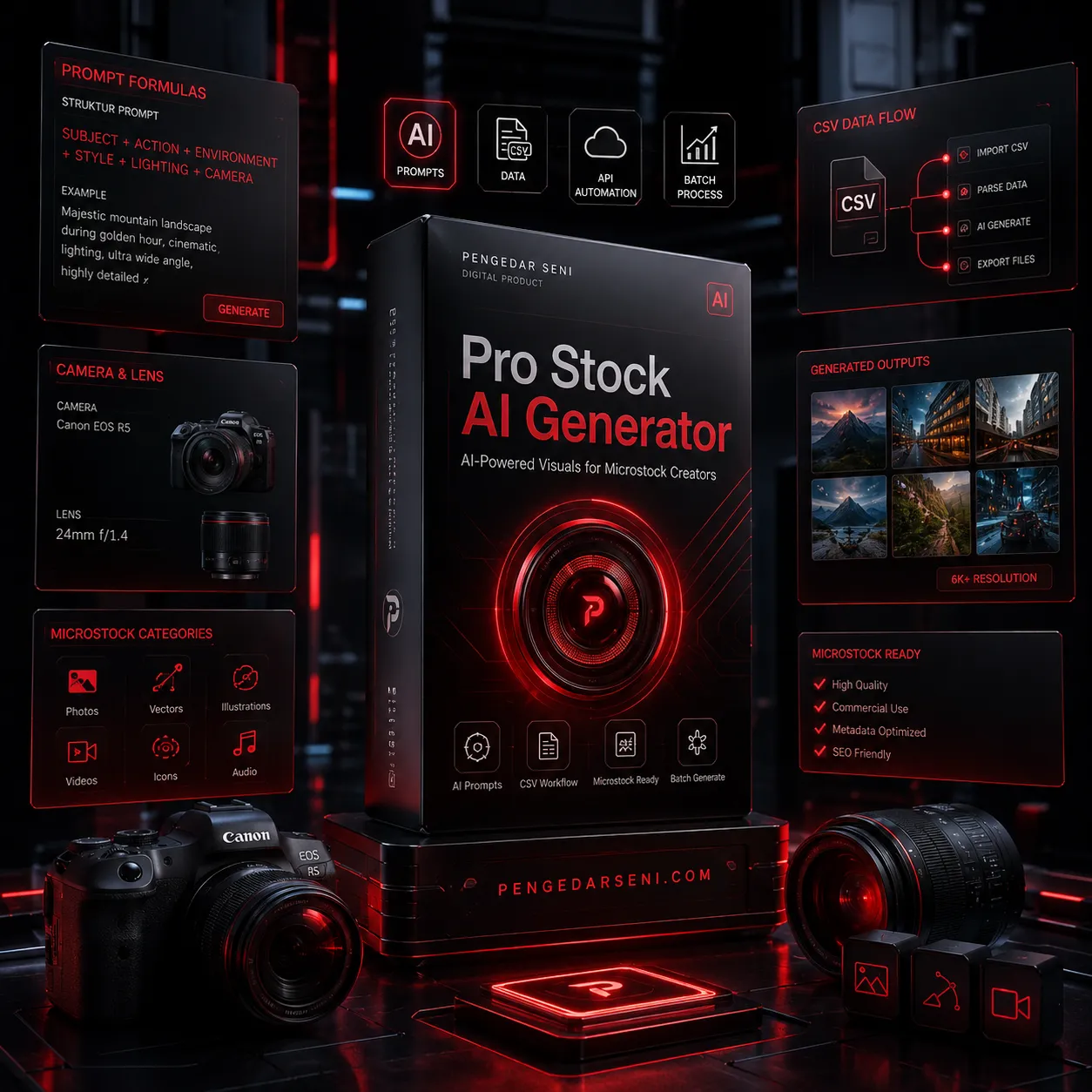
GPT PROMPT GENERATOR UNTUK MICROSTOCK Buat prompt AI visual yang rapi, komersial, dan siap pakai. Master Prompt Generator adalah GPT pembuat prompt AI siap pakai untuk kebutuhan microstock, video, foto, 3D asset, transparent PNG, vector, icon set, dan Ukiyo-e style. Cukup masukkan tema, objek, gaya, bulan, event, atau konsep—GPT ini akan otomatis menghasilkan prompt berbahasa Inggris yang siap copy-paste ke AI image atau video generator andalan Anda. Output default: 10 prompt siap copy-paste. (Jika butuh jumlah lain, cukup ketik "20", "50", atau berapapun jumlah prompt sesuai kebutuhan produksi Anda). 📌 Ringkasan Produk Dari ide sederhana menjadi prompt visual yang lebih terarah. GPT ini dirancang khusus untuk kreator microstock, desainer, content creator, AI artist, dan siapa pun yang ingin membuat prompt visual berkualitas tinggi dengan workflow yang jauh lebih cepat dan terstruktur. 🎨 Mode Yang Didukung Satu GPT untuk berbagai format kebutuhan visual Anda: • VIDEO: Cinematic stock footage, 4K video, b-roll, loop, drone, slow motion, dan footage komersial. • PHOTO: Foto realistis, product photo, commercial photo, macro, flat lay, background photo, dan DSLR-style image. • TRANSPARENT: Isolated object dengan background putih atau hitam yang mudah dijadikan PNG transparan. • 3D: 3D object, glossy icon, clay render, ceramic object, glass object, dan single-object asset. • VECTOR: SVG, flat vector, sticker vector, watercolor vector, dan desain yang mudah di-trace. • ICON VECTOR: Icon set 3x3 grid, black-only icon, outline icon, glyph, pictogram, dan icon komersial. • UKIYO-E: Modern vector bergaya Japanese woodblock, torii, wave, Edo aesthetic, dan sumi ink style. ✨ Keunggulan Dibuat khusus untuk workflow kreator stock asset: • Prompt berfokus pada visual yang bersih, komersial, reusable, dan sangat cocok untuk dijual sebagai stock asset. • Output selalu disusun rapi dan konsisten agar bisa langsung di-paste ke AI generator tanpa repot edit lagi. • Bisa produksi massal dalam hitungan detik (minta 10, 20, atau 50 prompt sekaligus). • Sangat mudah digunakan oleh pemula. 🛡️ Stock-Friendly Guardrails Master Prompt Generator otomatis membantu menjaga prompt Anda tetap "bersih" dan aman dari elemen berisiko penolakan reviewer microstock, seperti: brand name, logo, trademark, copyright character, celebrity likeness, watermark, hingga label produk teks yang tidak terbaca/tidak relevan. ⚙️ Cara Pakai Tulis brief sederhana, dapatkan hasil siap pakai: 1. Tentukan jumlah prompt yang ingin dibuat. 2. Pilih mode visual (video, photo, transparent, 3D, vector, dll). 3. Masukkan tema, objek, event, atau konsep visual. 4. Tambahkan detail (misal: no people, no text, no brand, background putih, cinematic). 5. Selesai! GPT akan menyusun prompt bahasa Inggris yang rapi dan detail. 📝 Contoh Perintah Prompt • "Buatkan 10 prompt video cinematic tema World Ocean Day." • "Buatkan 20 prompt foto background bahan mentah seblak, no people." • "Buatkan 10 prompt transparent object tema kitchen tools, satuan object, bg putih." • "Buatkan 10 prompt 3D glossy icon tema online shopping, no text no brand." • "Buatkan 10 prompt icon vector black only tema finance." 🎯 Cocok Digunakan Oleh: • Kreator microstock yang harus rutin membuat puluhan/ratusan aset visual. • Seller aset digital (vektor, icon set, 3D object, PNG transparan). • Desainer yang butuh brainstorming prompt. • Content creator & AI Artist. ❓ FAQ (Tanya Jawab) Q: Apakah prompt dibuat dalam bahasa Inggris? A: Ya. Hasil prompt diproses dalam bahasa Inggris agar langsung kompatibel dan optimal digunakan di semua AI image/video generator. Q: Berapa prompt yang dihasilkan sekali enter? A: Secara default GPT menghasilkan 10 prompt. Namun Anda bebas meminta berapapun (misal: 20 atau 50 prompt sekaligus). Q: Apakah alat ini ramah untuk pemula AI? A: Sangat ramah. Cukup ketik pakai bahasa Indonesia santai mengenai tema dan mode visual, GPT yang akan menerjemahkan dan melengkapi instruksi teknisnya.

STARTING PRICE
100% FREE
VIEW ➔
Fonts
Mexatron – Sci-Fi Display Font

Mexatron – Sci-Fi Display Font

Mexatron - Sci-Fi Display Font Forged from steel and code. The ultimate typographic mobile suit. MEXATRON is a heavy-duty, cyber-futuristic display typeface engineered for the next generation of visual communication. Deeply inspired by mecha anime, advanced robotics, and dystopian industrial aesthetics, this font acts as the ultimate typographic armor for your creative projects. The Philosophy Behind MEXATRON ⚙️ Mexa (Mecha / Mechanical): Represents raw, physical power, heavy machinery, and the imposing structure of giant mobile suits. Tron (Electronic System): Symbolizes the digital core, the glowing UI screens, and the high-tech circuitry that brings the machine to life. Together, MEXATRON is the perfect synergy of hardware and software—a machine language built for human design. Technical Precision: 45° Angles & Fluid Bridges 📐 MEXATRON isn't just drawn; it's constructed. The letterforms are built on a rigid geometric grid, heavily featuring signature 45-degree angle cuts that mimic the aerodynamic armor plating of futuristic robots and spacecraft. To balance this aggressive industrial silhouette, the design incorporates a fluid bridge system—subtle, mathematically calculated smooth transitions at the joints. This prevents the font from feeling overly stiff, simulating the seamless, fluid movement of mechanical hydraulics and giving it a highly polished, premium tech finish. Why Choose MEXATRON? Extensive Multilingual Support: Equipped with a massive character set including Basic Latin, Extended Latin, and comprehensive Cyrillic glyphs, ready to deploy across global projects. Mecha Industrial DNA: The absolute best choice for sci-fi blueprints, HUD (Heads Up Display) interfaces, and mechanical schematics. Streetwear Ready: Perfect for tech-wear branding, cyberpunk apparel, and Y2K industrial hoodie designs. Striking Geometric Alternates: Features unique character constructions that look like coded alien technology or classified military insignias. Perfectly Deployed For: Mecha anime titles, sci-fi posters, synthwave album art, tech-wear clothing lines, esports team branding, futuristic gaming UI/UX, mechanical product packaging, and post-apocalyptic branding. Equip your design with MEXATRON and let your typography pilot the future.

STARTING PRICE
From US$19.00
VIEW ➔
Fonts
Xipta Sans – Neo Grotesk Typeface

Xipta Sans – Neo Grotesk Typeface

XIPTA SANS – A Neo-Grotesk Typeface Built for Modern Creation and Infinite Possibility The structural blueprint for contemporary typography. Xipta Sans is a modern, neo-grotesk typeface family designed for absolute clarity and versatility. Rooted in the functional and neutral aesthetics of classic grotesk typography, Xipta Sans brings a contemporary edge that perfectly balances structure and flow. Featuring three essential weights—Light, Regular, and Bold—this typeface family is built to handle everything from high-impact headlines to extensive body copy. Whether you are designing a clean UI/UX interface, a commanding brand identity, or a sophisticated editorial layout, Xipta Sans provides the structural foundation you need to innovate. The Meaning Behind Xipta ✅ Cipta (Creation and Purpose) – Derived from the Indonesian word meaning "to create" or "to invent," representing the fundamental drive to build. ✅ X (The Infinite Variable) – Symbolizes limitless possibilities, cross-collaboration, and future-forward thinking. ✅ Xipta Sans – The intersection of purposeful creation and infinite design potential. Why Choose Xipta Sans? ✅ 3 Essential Weights – Includes Light (for elegance and minimalism), Regular (for flawless body copy and UI), and Bold (for authoritative headlines and logos). ✅ Stretched Alternates – Unlock a completely different vibe! Includes carefully crafted wide/stretched alternate characters, perfect for brutalist posters, edgy streetwear branding, and experimental typography. ✅ Neo-Grotesk Aesthetic – Neutral, timeless, and clean, making it a reliable workhorse for any design project. ✅ Exceptional Legibility – Optimized kerning and spacing ensure crisp readability across both large printed displays and dense digital screens. ✅ Full Character Set – Complete with uppercase, lowercase, numerals, punctuation, and symbols. ✅ Multilingual Support – Comprehensive support for Western and Central European languages to accommodate global design projects. ✅ Versatile Use Cases – Ideal for corporate branding, tech startups, editorial layouts, app design, and packaging. Empower your creative vision with Xipta Sans—the structural blueprint for modern typography.

STARTING PRICE
From US$19.00
VIEW ➔